Magnet
Torrent downloading slowly on Android? How to make it faster
Short answer: a torrent's speed depends mostly on how many people are sharing it, not on the app or the phone. If it has many seeds and it's still slow, the usual causes are other downloads sharing the speed, a slow or blocking network, or Android pausing the app to save battery. Most "speed boosters" do nothing.
1. Look at the seeds first
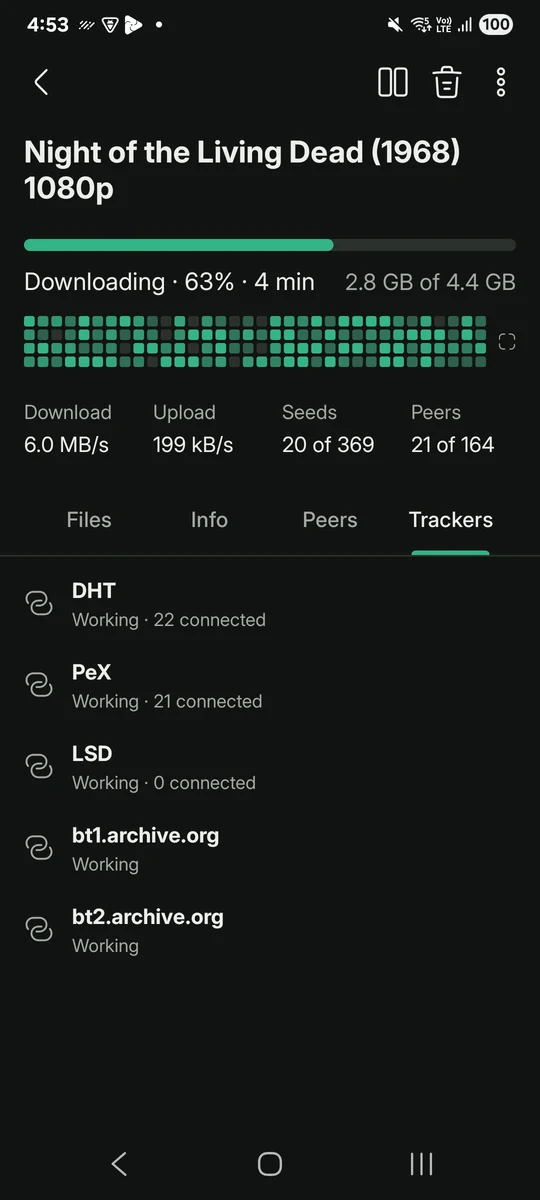
Open the torrent and look at Seeds and Peers. "20 of 369" means you're connected to 20 of the 369 seeds the torrent knows about.
- 0–3 seeds: it will be slow whatever you do. Look for another copy of the same file with more seeds.
- Dozens of seeds and still slow: the problem is on your side. Read on.
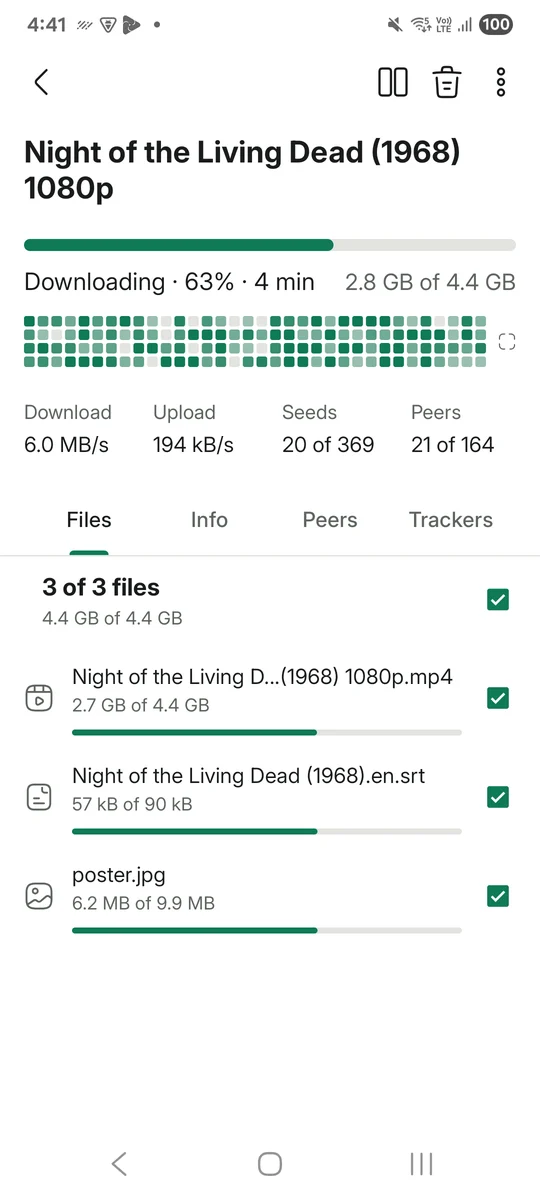
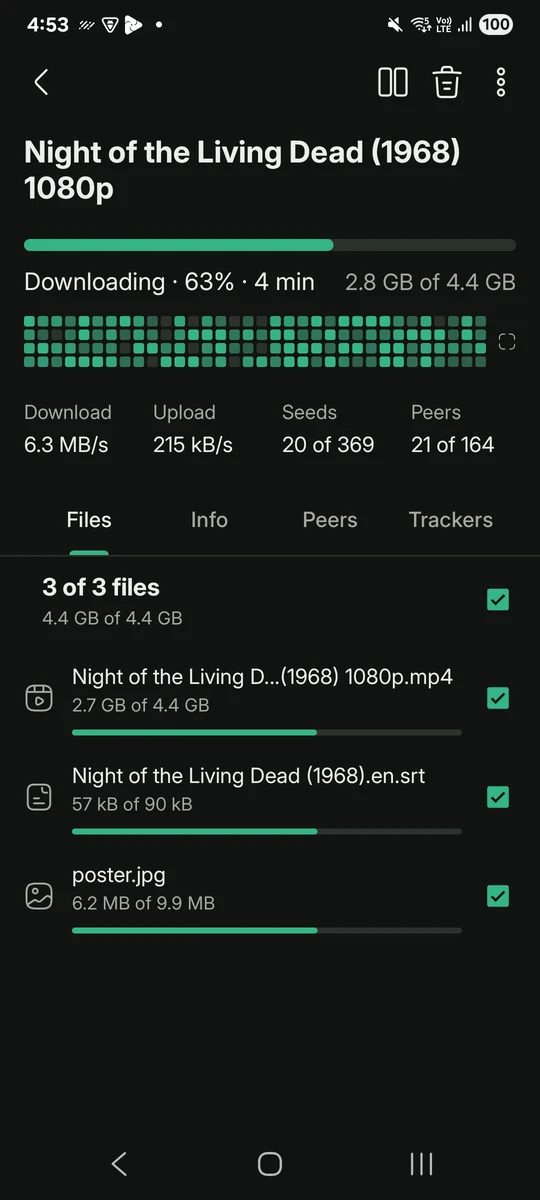
Download speed, and how many seeds and peers you're connected to.
2. Download fewer things at once
Five torrents at once means each gets a fifth of the speed, and none finishes soon. Pause the others, or download one at a time. In Magnet: Settings → Downloads at once. With 1 or 2, the rest wait their turn and start on their own.
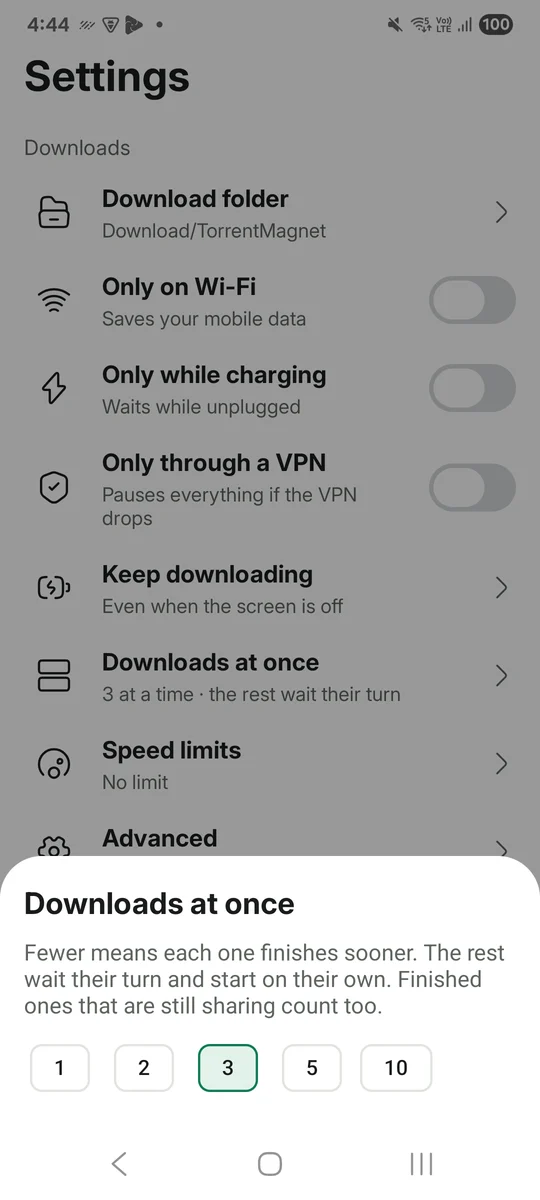
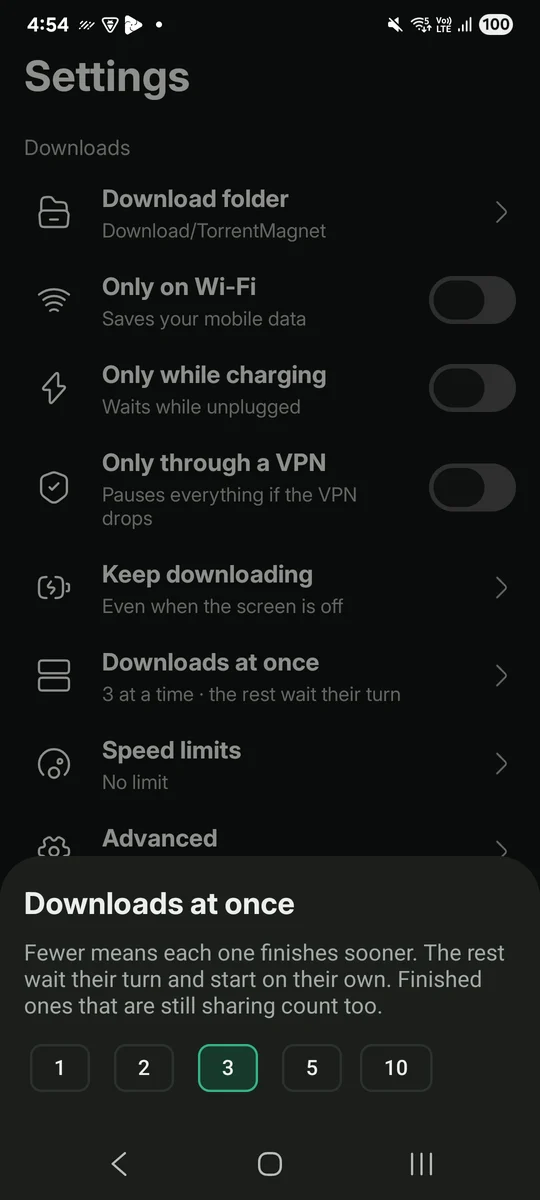
Fewer at once means each one finishes sooner.
3. Check your connection
- Try Wi-Fi and mobile data. Some networks slow down or block torrent traffic: office, school, hotel and café Wi-Fi, and some mobile carriers.
- Stay close to the router. A weak Wi-Fi signal can cut the speed more than anything else.
- A VPN can help if your network slows torrents down, or make things slower if its server is far away or busy. Try another server.
4. Let it run with the screen off
Android's battery saver can slow down or stop apps in the background. Let your torrent app run freely: in Magnet, Settings → Keep downloading asks Android for it in one tap. In other apps: Settings → Apps → [the app] → Battery → Unrestricted (the words differ a little between phones). Also check that a low-power mode isn't on.
5. Check the app's own limits
- Speed limits: make sure no download limit is set (in Magnet: Settings → Speed limits, and for one torrent, its ⋮ menu → Speed limits).
- Only on Wi-Fi / Only while charging / Only through a VPN: when one of these is waiting, nothing downloads.
- Don't cut the upload to zero. Torrents work by trading: people send more to those who send back. A tiny upload limit can make your download slower, not faster.
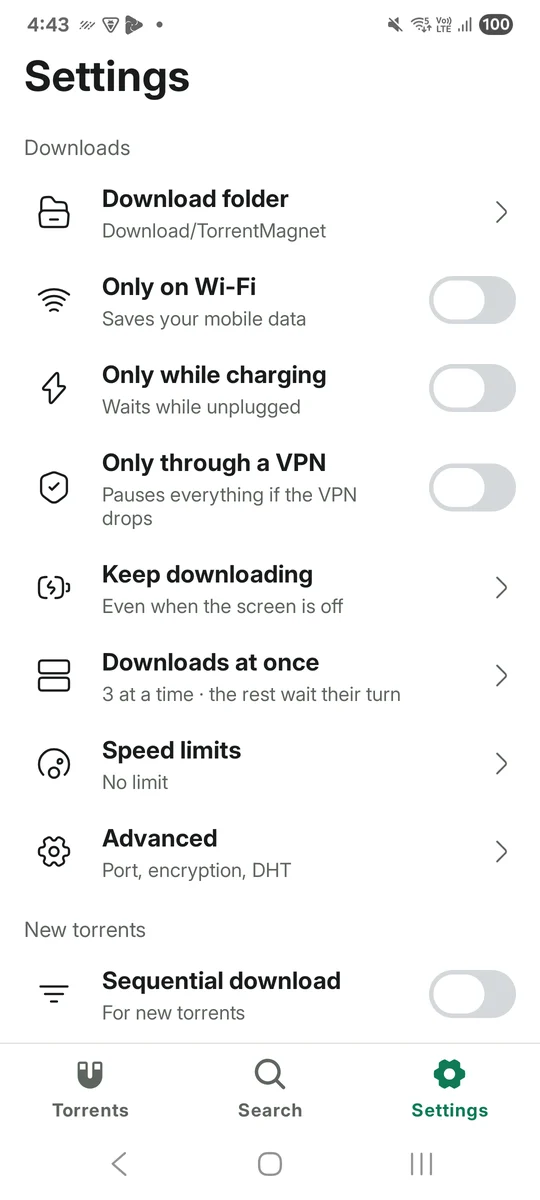
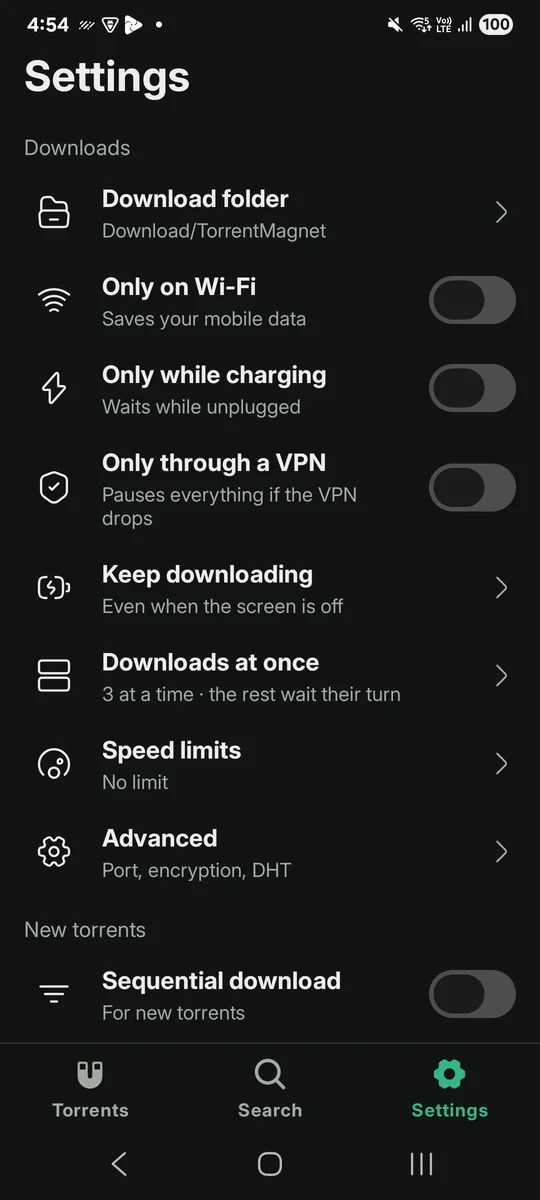
Everything that can hold a download back is in one place.
6. Find more people
- Ask the trackers again: on a torrent's ⋮ menu → Ask trackers again, to find new peers now instead of in a few minutes.
- Add trackers: a torrent with few or broken trackers finds fewer people. ⋮ → Add trackers lets you paste more.
- Keep DHT on (Settings → Advanced). It finds people even without trackers.
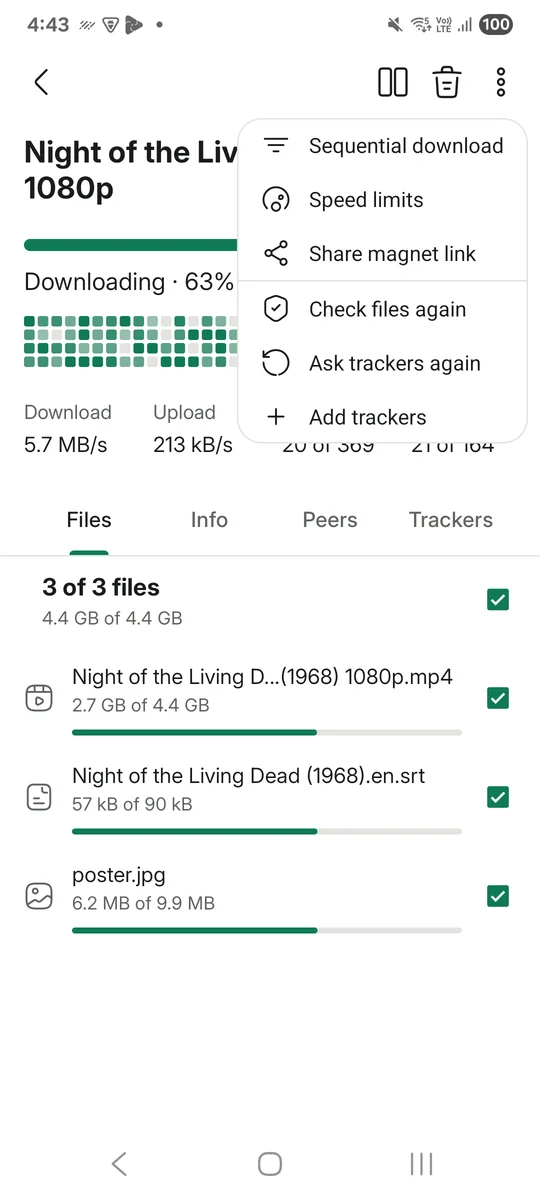
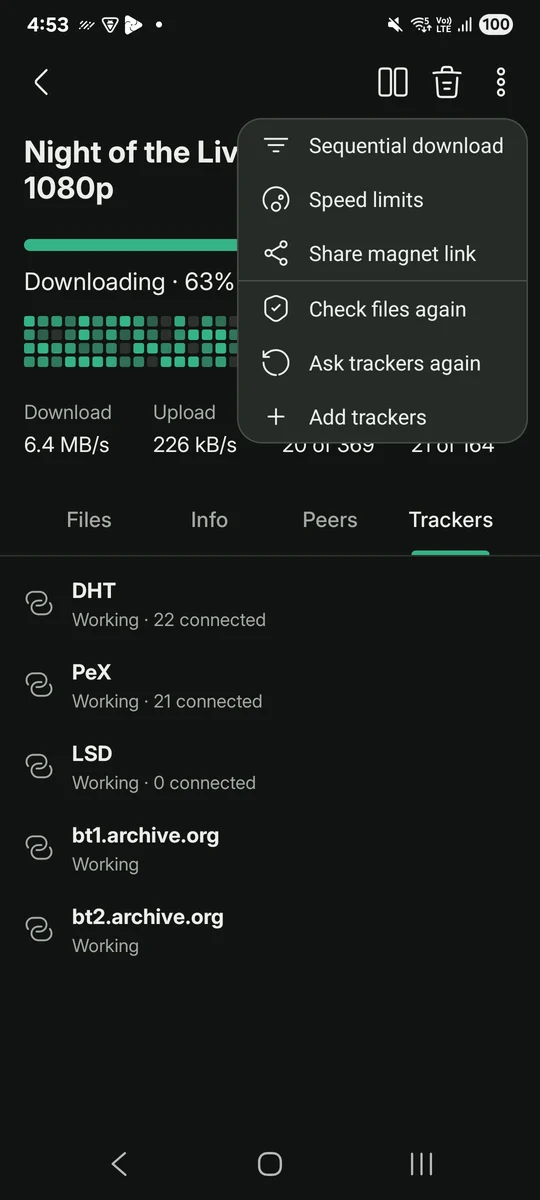
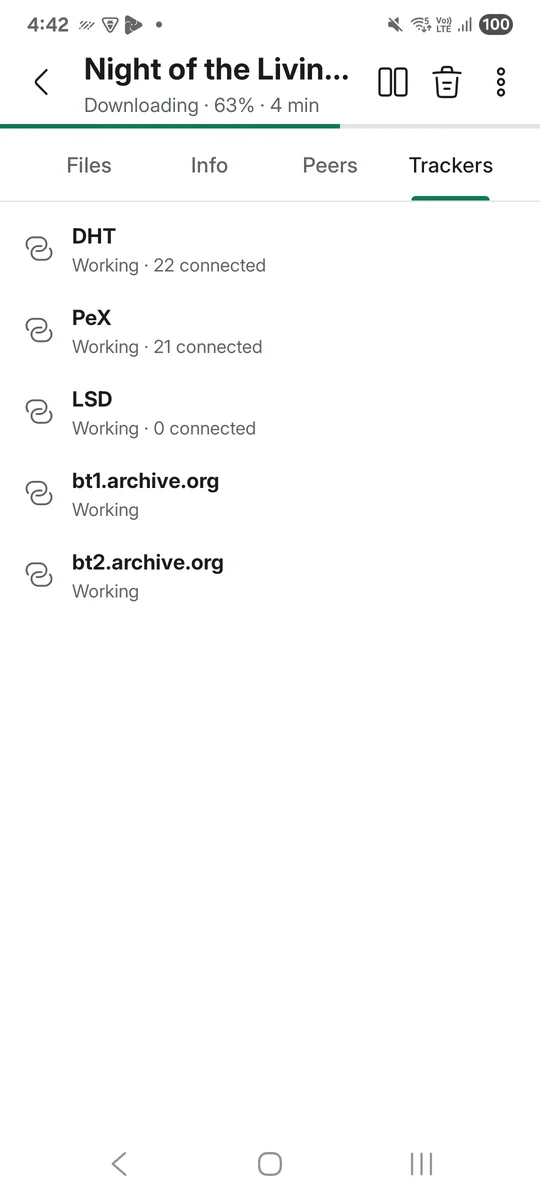
The ⋮ menu, and the Trackers tab showing where peers come from.
7. Advanced settings (only if the rest didn't help)
- Connections: more connections can find more peers, and use more battery. 200 suits almost everyone.
- Encryption: "Prefer" is best. "Require" can get past some networks that slow torrents down, but leaves you with fewer peers.
- Listening port: only worth changing if you set up port forwarding on your router.
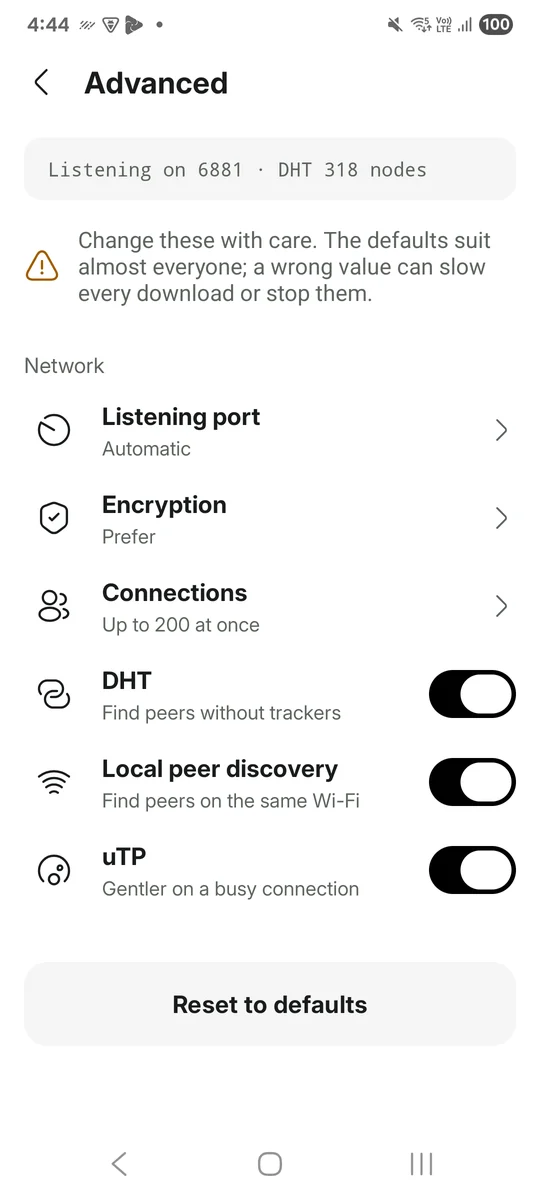
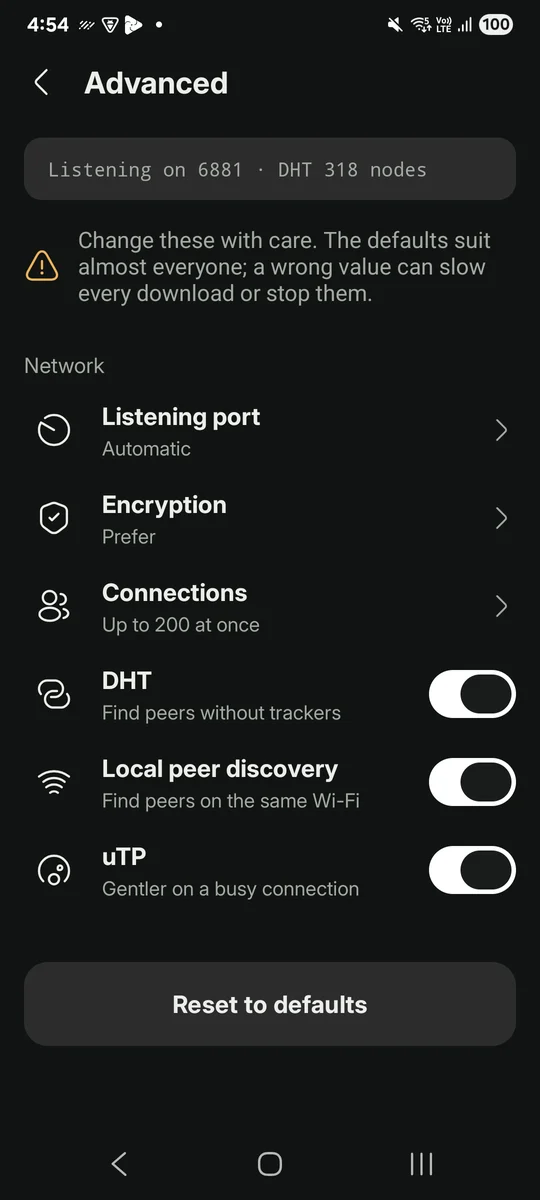
Settings → Advanced. The defaults suit almost everyone.
What doesn't work
- "Speed booster" apps and RAM cleaners: they can't add seeds, and killing apps can stop your download.
- Changing apps for a dead torrent: if nobody's sharing it, no app can download it faster.
- Turning everything to the maximum: thousands of connections can make a phone's Wi-Fi slower, not faster.
Questions
Why does it start fast, then slow down at the end?
The last pieces are often the rarest, and only a few people have them. It usually picks up again; wait a few minutes.
Why is it slower than my internet speed?
Your speed is limited by the people sending to you. Your connection is only the ceiling.
Does sequential download make it slower?
A little, because it can't always fetch the rarest pieces first. Use it to watch early, then turn it off.
Is it stuck at 0% instead?
That's a different problem: see torrent stuck at 0%.
About Magnet: Magnet is a torrent app made by us. It has no speed caps, and it says why a download is waiting (Wi-Fi, charger, VPN) instead of staying slow without a word. The steps above work in Flud, LibreTorrent and other apps too; the setting names differ a little.