Magnet
Where are torrents saved on Android?
Short answer: most torrent apps save to your phone's Download folder, usually in a folder with the app's name. Magnet saves to Download/TorrentMagnet. The quickest way to find a file is to open the torrent in the app: its Info tab shows exactly where it's saved.
Where each app saves by default
- Magnet: Download/TorrentMagnet
- Most other torrent apps: Download, or a folder named after the app inside Download
- Some older apps save inside their own app folder (Android/data/…), which Android 11 and later hide from most file apps. If you can't see the file anywhere, this is the likely reason: open it from the torrent app itself.
Not sure which folder your app uses? Open the torrent in the app. The app always knows.
Find it from the app
- Open the torrent app and tap the torrent.
- Go to the Info tab and look for Saved in (other apps call it "Save path" or "Download location").
- Or go to Files and tap the file to open it directly.
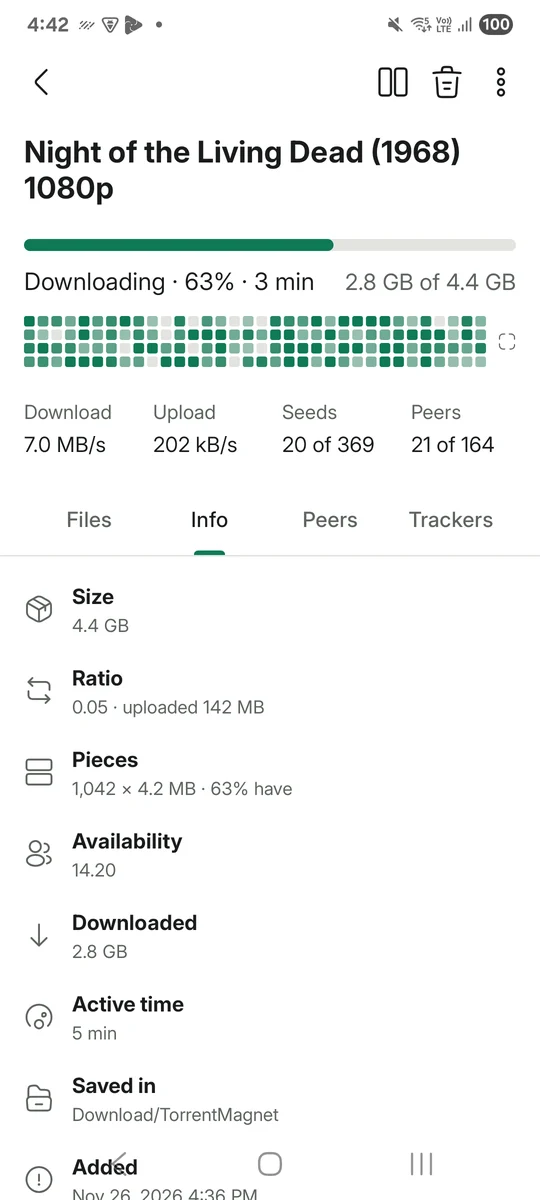
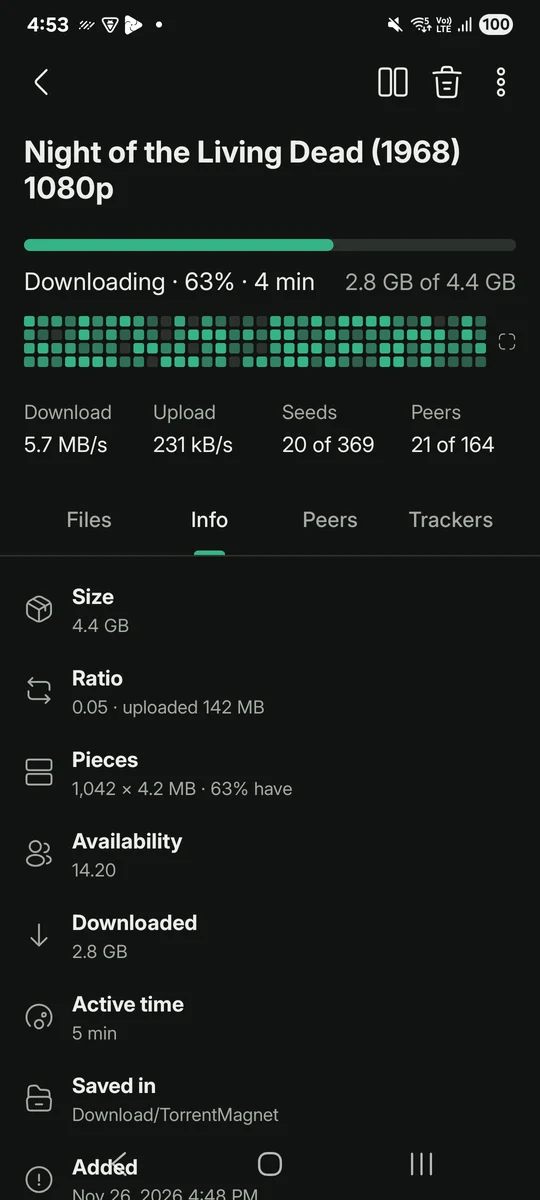
The Info tab: Saved in shows the folder.
Find it in your Files app
- Open Files (or My Files on Samsung, Files by Google on many phones).
- Go to Internal storage (or "Phone"), then Download.
- Open the app's folder, for Magnet TorrentMagnet. A torrent with several files gets its own folder inside.
Tip: in the Files app, the Recent or Downloads view often shows the newest files first.
"The file is there, but nothing opens it"
- .mkv or .avi videos: install a video player such as VLC, or use a torrent app with its own player.
- .zip, .rar or .7z: it's an archive. Files by Google opens .zip; for .rar and .7z use an app like ZArchiver.
- .iso: a disk image, meant for a computer (for example to install Linux). Phones don't open it.
- .exe: a Windows program. It won't run on Android.
- The file isn't finished. An unfinished file can't always open. Check the progress in the torrent app.
Change where torrents are saved
In Magnet: Settings → Download folder. Pick Phone (Download/TorrentMagnet), an SD card when one is in the phone, or Choose another folder inside Download. You can also choose a folder each time you add a torrent, in the Save to step.
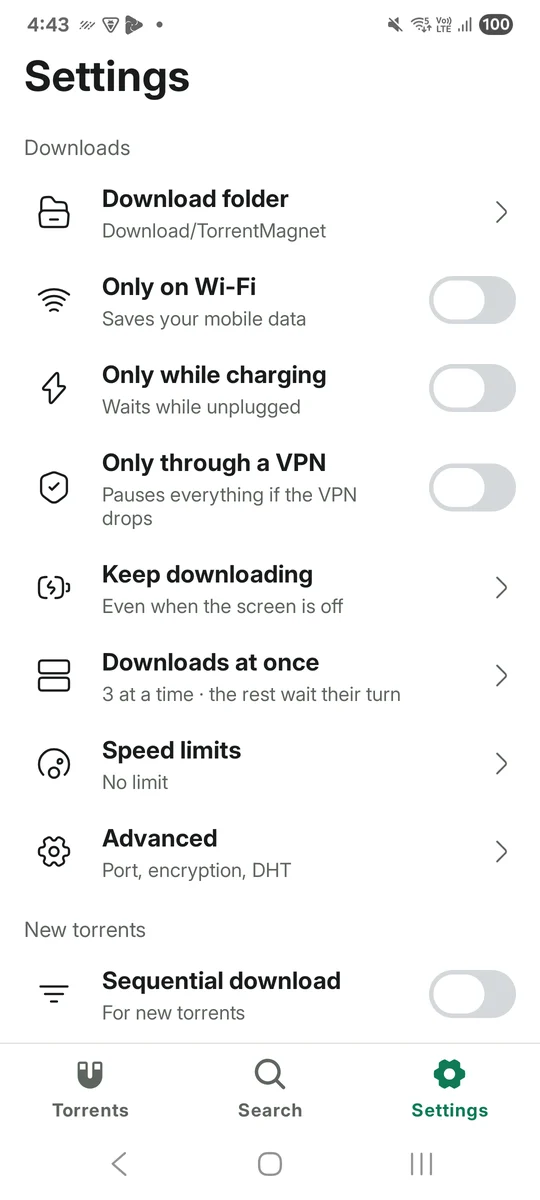
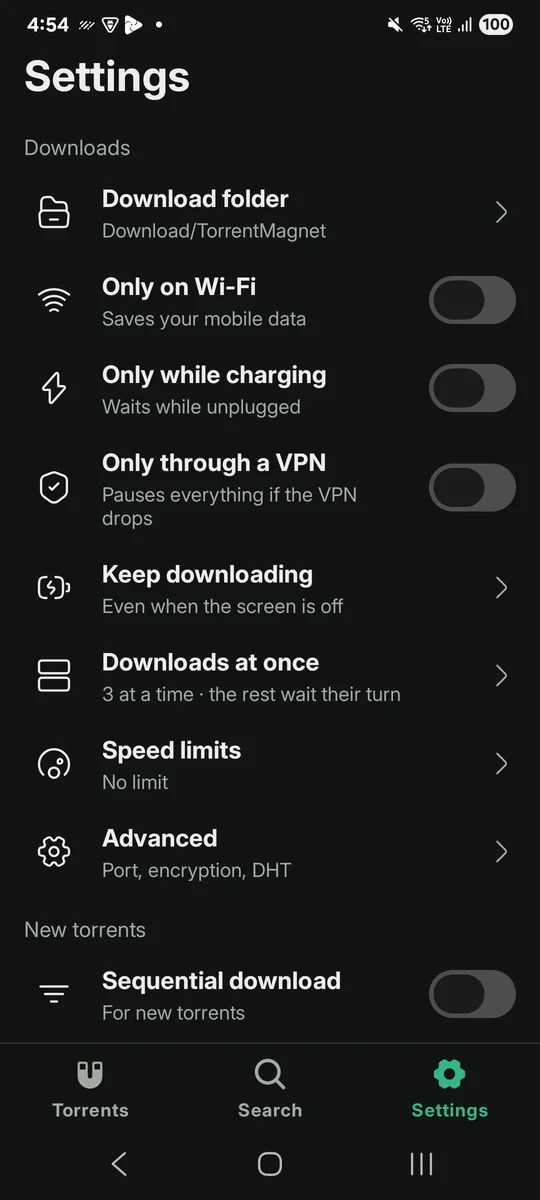
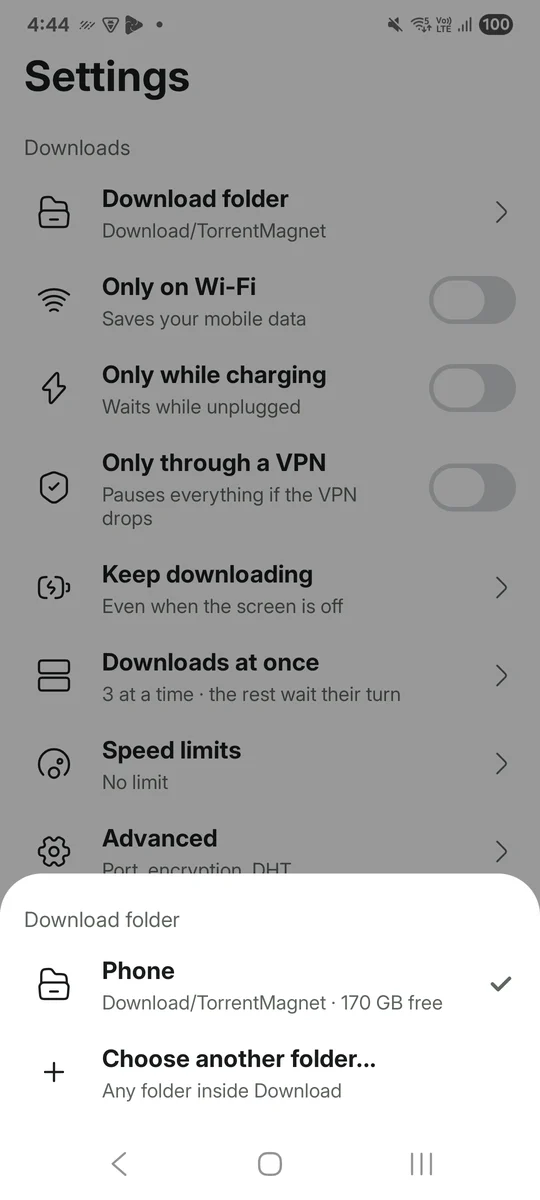
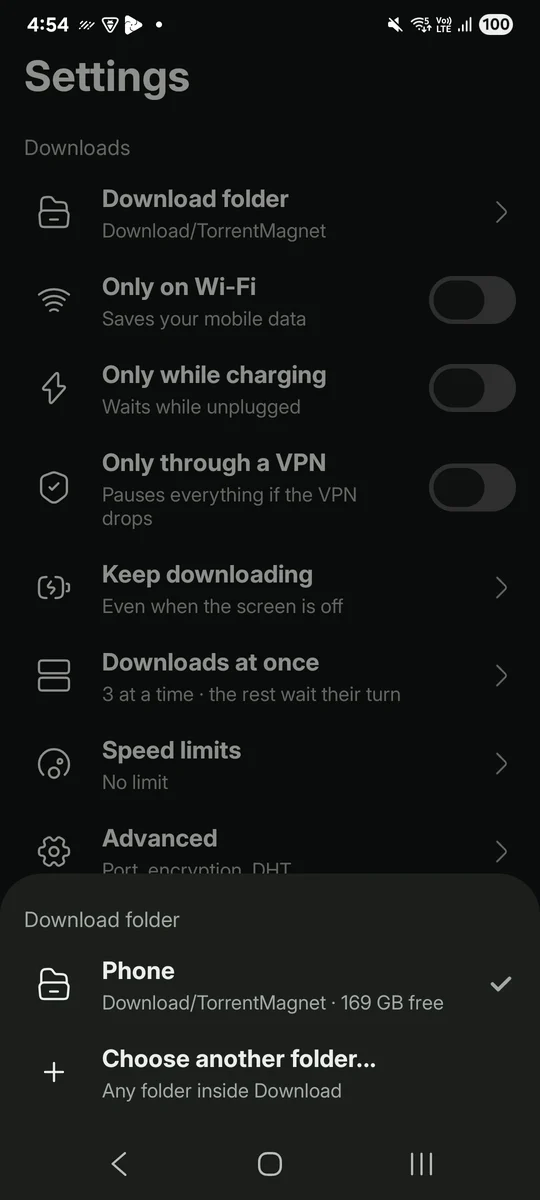
Settings → Download folder. An SD card shows here when one is in the phone.
Why only inside Download? Since Android 11, apps may only write to certain folders. Download is the one every file app can see, so it's the safest place: your files stay easy to find and survive if you remove the app.
Questions
If I delete the app, do my downloads go too?
Not if they're in Download (Magnet's default): those stay. Files kept inside an app's own folder are deleted with the app.
If I remove a torrent from the list, is the file deleted?
Only if you say so. When you delete a torrent, Magnet has a tick box, Delete files with torrent, which is off unless you tick it.
Why can't my gallery see the video?
Some gallery apps only show the Camera and Pictures folders. Open it from the Files app or the torrent app instead.
Can I save straight to an SD card?
Yes, in Settings → Download folder when a card is in. Android lets apps write only to their own folder on the card, so the files go there.
About Magnet: Magnet is a torrent app made by us. It saves to Download/TorrentMagnet, shows the folder before every download, and opens videos, music and photos in its own player. Other apps work the same way; look for the "save path" in their settings.