Magnet
How to watch a torrent while it downloads on Android
Short answer: yes, you can watch a video torrent on Android before it finishes downloading. The app has to fetch the film's parts in order, from the start, instead of in random order, and play them as they arrive. With a few seeds and an ordinary connection, a film can start at around 5%.
Why a torrent normally can't play until it's done
A torrent is cut into hundreds or thousands of small pieces. To finish as fast as possible, torrent apps fetch the rarest pieces first, from whoever has them. So at 50% you have half the pieces, but they're scattered across the whole film: a bit of the start, a bit of the end, holes everywhere. A video player can't play a film with holes in it.
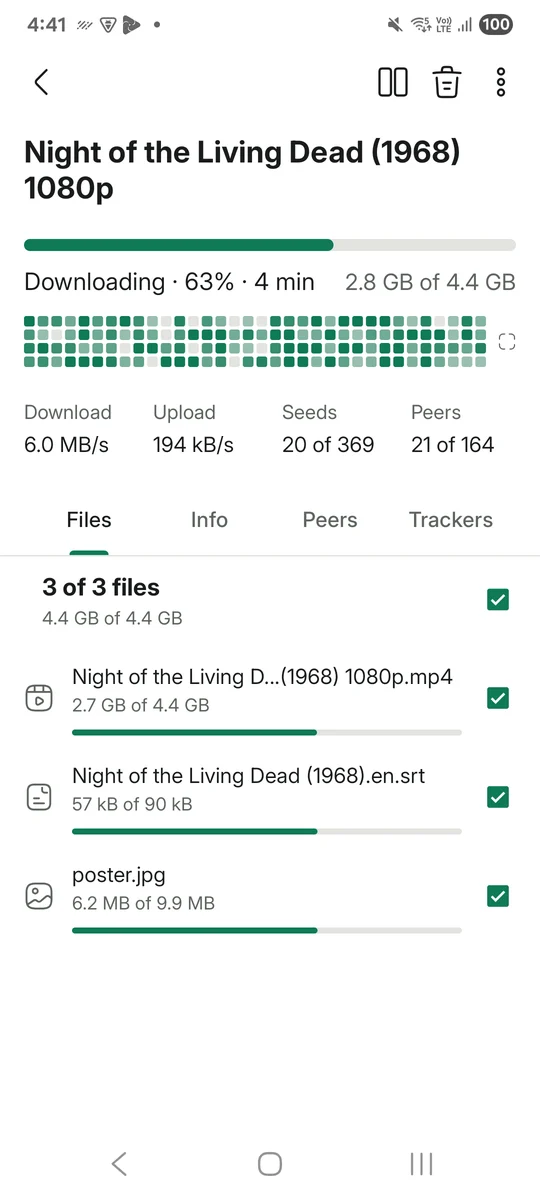
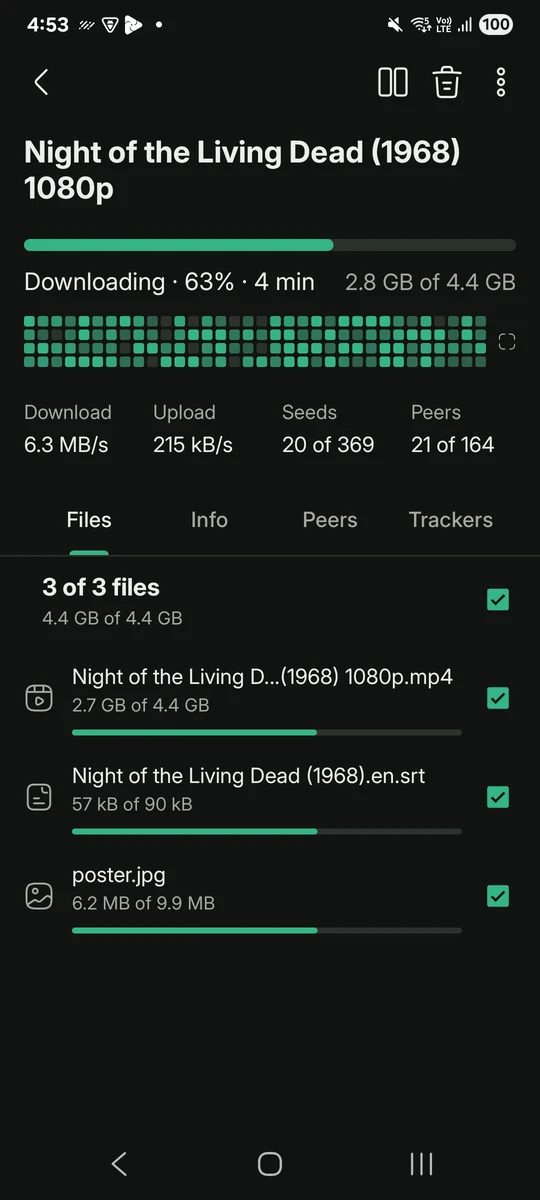
Each small square is a run of pieces. At 63%, the pieces you have are spread across the whole film.
How watching while downloading works
To play early, the app changes the order: it fetches the part you're about to watch first, then the part after it, and keeps a little ahead of the player. The rest of the film keeps coming in the background. If you jump forward, the app starts fetching from the new spot.
There are two ways apps do this:
- A built-in player that asks for the right pieces itself. You tap the video and it plays. This is the easiest way.
- "Sequential download", which fetches the whole torrent from start to end, then you open the file in a player like VLC. It works, but jumping ahead means waiting, and it's slower overall for other people sharing the torrent.
Step by step, with Magnet
- Add the torrent: tap a magnet link, open a .torrent file, or find one in Search.
- Open the torrent and go to Files. If the torrent has extra files you don't need (other formats, samples), untick them so the film gets all the speed.
- Tap the video file, or hold it and tap Watch. The player opens and starts as soon as the first part is in.
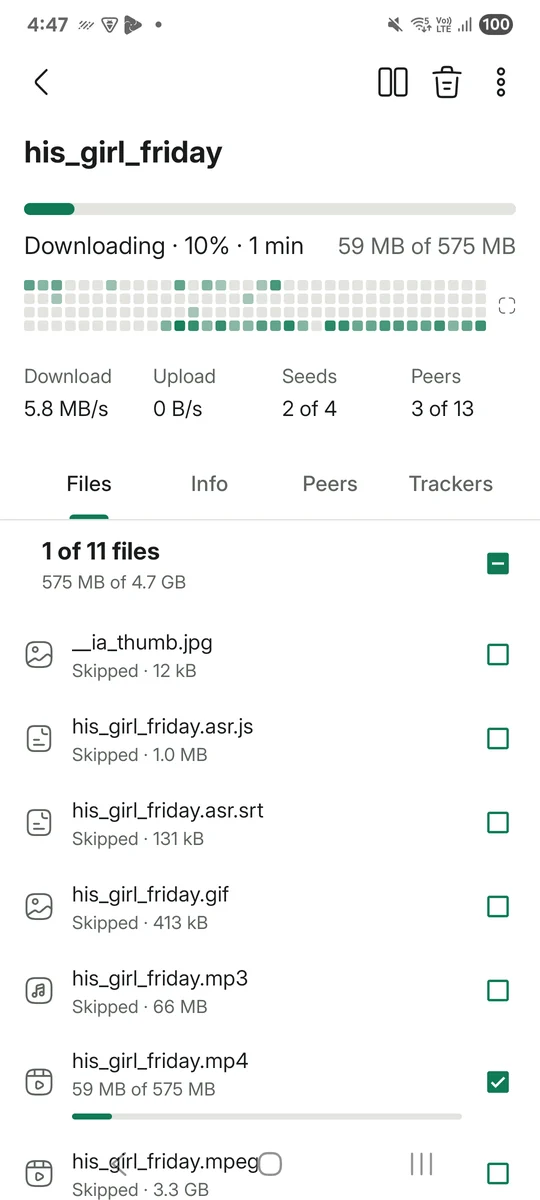

His Girl Friday (1940, public domain, from the Internet Archive): playing with 10% downloaded. The lighter part of the bar shows what's already in.
The player's bar shows the parts already downloaded. Jumping inside them plays at once; jumping past them waits a moment while that part comes in, and a box counts it up to 100%.
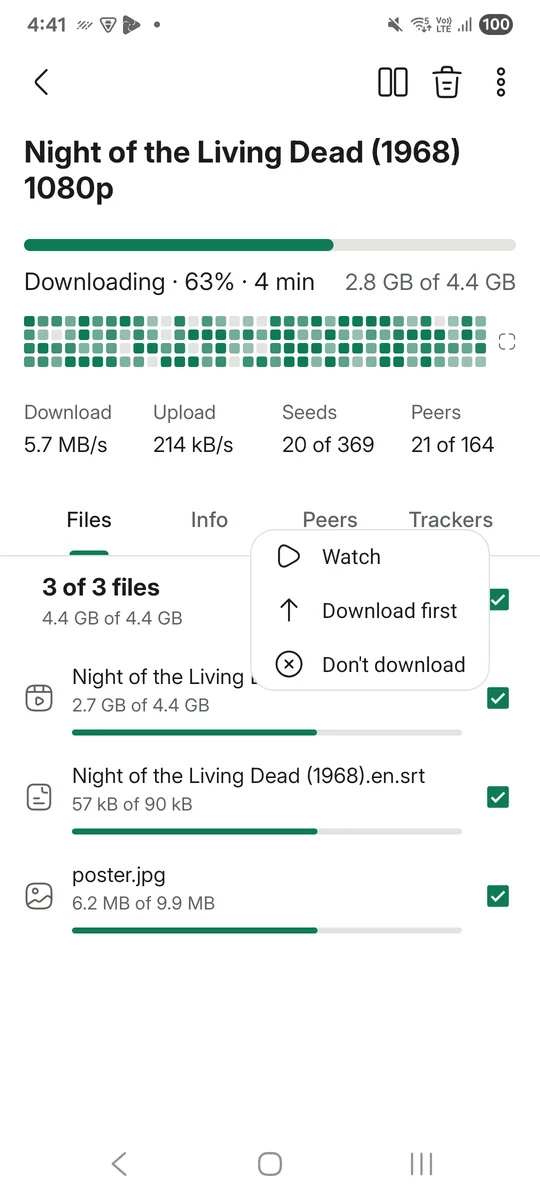
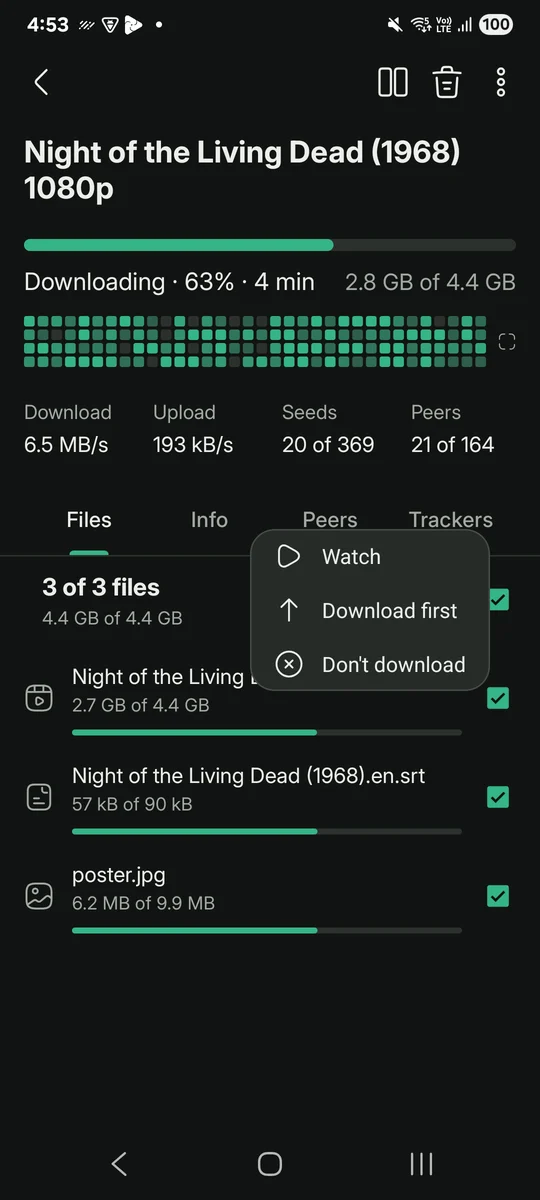
Hold a file for its menu. Download first puts it ahead of the torrent's other files.
Why it stops, and what helps
- Too few seeds. To watch without stops, the film has to arrive faster than you watch it. For a 1080p film that's roughly 1 MB/s. A torrent with 1–2 slow seeds can't do it; one with dozens usually can. Check the seeds before you press Play.
- You started too early. On a slow torrent, let it run a few minutes first. Every minute ahead is a minute that won't stop later.
- Other torrents share the speed. Pause the other downloads while you watch.
- The video's format. Some files (certain MKV or AVI files, unusual audio) don't play in every player. If the built-in player can't play it, open it in another app like VLC.
- Mobile data. If "Only on Wi-Fi" is on in Settings, nothing downloads on mobile data, so the film waits.
Subtitles and audio
If the torrent has a subtitle file next to the video (.srt, .ssa or .vtt with a matching name), Magnet loads it and fetches it first. Subtitles and audio tracks inside the video are in the Subtitles & audio button.
Questions
Does watching early slow the download down?
Not much. The film still finishes in about the same time; only the order changes.
Can I watch on a TV?
Tap Open in another app in the player and pick an app that can cast, or wait until it's done and play it from the folder.
Is the file kept after I watch it?
Yes. It's saved like any download, in Download/TorrentMagnet unless you chose another folder. See where torrents are saved.
Is this legal?
Watching a film you have the right to (public-domain films, open movies like Sintel, your own videos) is fine. The law about copyrighted films depends on your country. Only download what you have the right to.
About Magnet: Magnet is a torrent app made by us, built around watching while it downloads: tap a video and its built-in player fetches what it needs first. Flud, LibreTorrent and others offer sequential download, which works with any video player.